Pay Cancellation Fee Using Gift Cards
When users cancel a reservation and pay the cancellation fee using a gift card, a new label, Card Balance, is displayed in the Cancel Reservation pop-up screen. Users can check the balance of the gift card using the Check hyperlink.
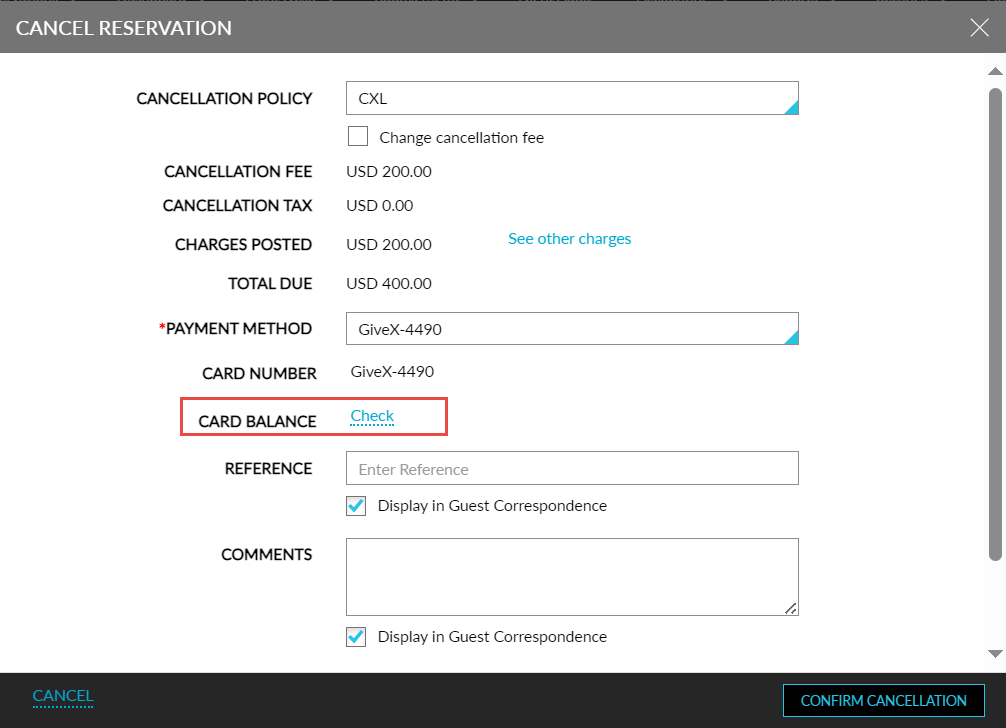
When the Allow Partial Payment checkbox is selected, users can make partial payments using the gift card. When a partial amount of the cancellation fee is paid using a gift card, the balance amount must be paid using a different payment method. The following message is displayed as a banner in the Cancel Reservation screen: Partial payment - $xxx.xx collected. Gift card balance limit has been reached. Please pay remaining balance using a different payment type.
When a user makes payment using a gift card with insufficient balance, the following message is displayed as a banner: Gift card balance - $xx.xx insufficient balance, change the payment type to proceed.